Best Internet Radio Broadcasting Software in 2026
Best Internet Radio Broadcasting Software in 2026
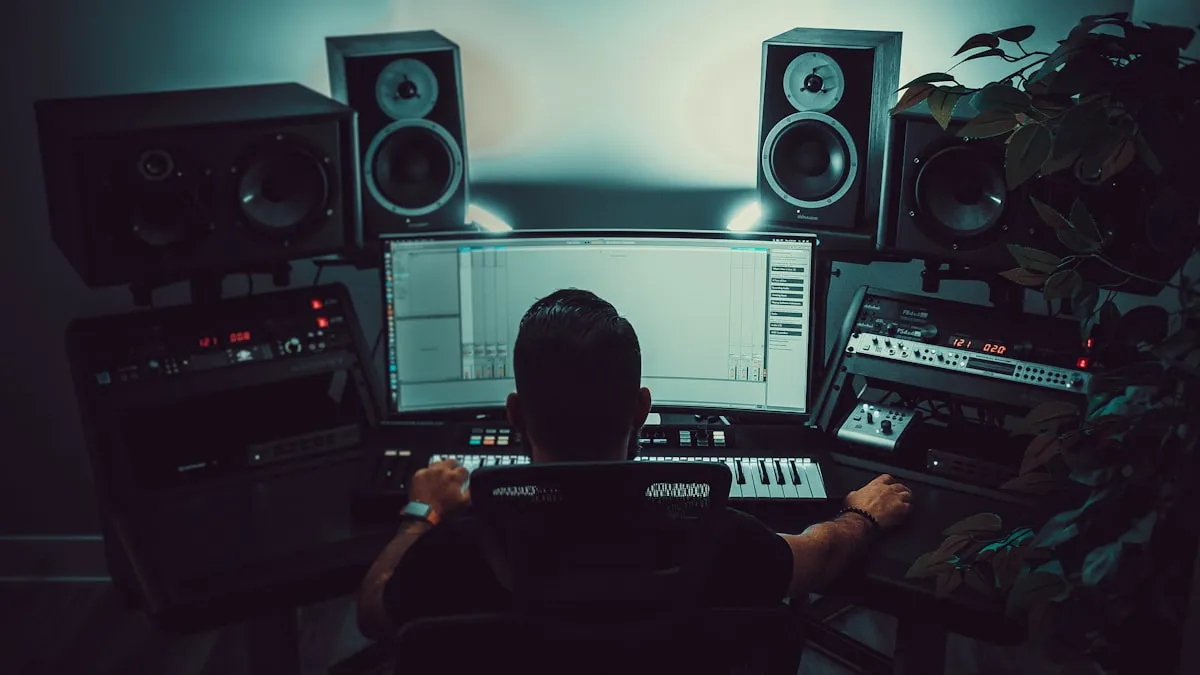
Broadcasting software is the engine room of your internet radio station. It is the tool that takes your music library, live microphone input, jingles, and scheduled programming and turns them into a continuous audio stream that reaches your listeners. Choosing the right software affects everything: your workflow, your sound quality, your ability to automate, and how much time you spend fighting technical problems versus actually making radio. You will also need the right equipment to complement your software choice.
This guide breaks down the most popular options in 2026, with honest assessments of what each one does well and where it falls short.
What Broadcasting Software Actually Does
Before diving into specific tools, it helps to understand the four core functions that broadcasting software handles.
Playout and playlist management
At its most basic level, broadcasting software plays audio files in sequence. But good playout software does much more: it manages playlists, handles crossfading between tracks, applies audio processing, and keeps a log of everything that plays (which you need for licensing reports).
Automation and scheduling
Most stations cannot have someone sitting at the controls 24 hours a day. Automation lets you schedule playlists, rotation rules, time-specific programming (morning shows, evening jazz blocks), and fallback content for when nobody is live. The best tools let you set rules like "play one jingle every four songs" or "never play the same artist twice in an hour."
Live mixing
When a DJ goes live, the software needs to handle microphone input alongside music playback, with proper ducking (automatically lowering music volume when the mic is active), crossfading, and sound effects. Some tools provide a full DJ mixing interface with dual decks, EQ, and effects.
Encoding and streaming
The software encodes your audio into a streaming format (typically MP3 or AAC at 128-320kbps) and sends it to your streaming server (Icecast, Shoutcast, or a hosted provider). It also sends metadata — the track title and artist — so listeners and your website can display "now playing" information.
The Software: Reviewed
SAM Broadcaster
Price: $299 (one-time) | Platform: Windows only
SAM Broadcaster has been the go-to for internet radio since the early 2000s, and for good reason. It is a full-featured playout system that handles everything from playlist automation to live broadcasting to direct encoding and streaming.
What it does well: - Mature, battle-tested software with a deep feature set - Built-in audio processing (compression, EQ, stereo enhancement) - Advanced rotation and scheduling rules - Integrated request system and track history - Direct streaming to Shoutcast, Icecast, and other servers - Detailed reporting for licensing compliance
Where it falls short: - Windows only — no Mac or Linux support - The interface looks dated and can feel cluttered - $299 is a significant upfront cost for hobbyists - The learning curve is steeper than simpler alternatives - Some users report stability issues with very large libraries
Best for: Stations that want a proven, all-in-one solution and run Windows. If you are serious about automation and want granular control over programming, SAM Broadcaster delivers.
RadioBOSS
Price: $199 Standard / $359 Advanced / $499 Premium (one-time) | Platform: Windows only
RadioBOSS positions itself as the automation workhorse, and it lives up to that claim. It is designed for stations that want sophisticated scheduling and unattended operation.
What it does well: - Excellent playlist generator with complex rotation rules - Strong scheduling system with time blocks, hour clocks, and priority rules - Built-in audio processing and normalization - Supports streaming to multiple servers simultaneously - Can run silently as a Windows service for headless operation - Good metadata handling for now-playing integration
Where it falls short: - Windows only - The interface, while functional, is not intuitive for beginners - The Standard tier lacks some important features (you realistically need Advanced or Premium) - Less community support and fewer tutorials compared to SAM Broadcaster
Best for: Stations that prioritize automation and want their programming to run reliably without constant supervision. Particularly strong for music-heavy formats where rotation rules matter.
Mixxx
Price: Free (open source) | Platform: Windows, Mac, Linux
Mixxx is a free, open-source DJ application that doubles as a surprisingly capable broadcasting tool. It connects directly to Icecast and Shoutcast servers, making it a legitimate option for stations on a tight budget.
What it does well: - Completely free with no feature restrictions - Cross-platform (Windows, Mac, Linux) - Full DJ mixing interface with dual decks, EQ, effects, and beatmatching - Direct live broadcasting to Icecast and Shoutcast - Active development community with regular updates - Supports MIDI controllers for tactile mixing
Where it falls short: - Designed as a DJ tool, not a radio automation system — no playlist scheduling or rotation rules - You need to be at the controls to use it (no unattended operation) - The learning curve for non-DJs is noticeable - No built-in audio processing for broadcast optimization - Library management is basic compared to dedicated playout systems
Best for: DJs who want to do live-mixing shows, budget-conscious stations, and anyone on Mac or Linux who needs a free broadcasting tool. Not ideal for 24/7 automated stations.
BUTT (Broadcast Using This Tool)
Price: Free (open source) | Platform: Windows, Mac, Linux
BUTT is the Swiss Army knife of internet radio — if Swiss Army knives only had one blade. It does exactly one thing: it captures audio from your sound card or microphone and streams it to an Icecast or Shoutcast server. That is it. And it does it well.
What it does well: - Dead simple to set up and use - Tiny footprint — runs in the background without eating resources - Cross-platform - Supports MP3, Ogg Vorbis, and AAC encoding - Can record the stream locally while broadcasting - Pairs perfectly with any other audio software (play audio in any application, BUTT streams it)
Where it falls short: - No playlist management, scheduling, or automation whatsoever - No mixing interface - No audio processing - The interface is purely utilitarian (which is by design, but still) - Metadata support is limited
Best for: Stations that use separate software for audio playback (a media player, DJ software, or DAW) and just need a clean, reliable way to get that audio to a streaming server. Also excellent as a backup broadcasting tool.
Virtual DJ
Price: Free (limited) / $299 Pro (one-time) | Platform: Windows, Mac
Virtual DJ is primarily a DJ performance tool, but many internet radio hosts use it for live-mixing shows. The visual interface, extensive effects library, and beat-matching tools make it a joy to use for music-forward broadcasts.
What it does well: - Excellent visual interface with waveforms, beat grids, and deck controls - Powerful real-time effects and sampling - Built-in broadcasting capability - Huge library of skins and extensions - Supports video mixing (for visual radio/simulcast) - Active user community
Where it falls short: - Designed for DJs, not radio automation - No scheduling or playlist rotation features - Overkill if you just need simple playout - The free version has limitations that matter for broadcasting - Resource-heavy compared to simpler tools
Best for: DJs who host live mix shows and want a polished, visual mixing experience. Not suitable for automated 24/7 playout.
PlayIt Live
Price: Free (basic) / Plugins from $0-200 | Platform: Windows only
PlayIt Live takes an interesting approach: the core software is free, and you add paid plugins for specific features. This lets you start at zero cost and add capabilities as you need them.
What it does well: - Free core software with no time limits - Clean, modern interface that is easier to learn than SAM or RadioBOSS - Plugin architecture lets you pay only for what you need - Built-in clock and scheduling system - Remote voice tracking capability - Now-playing data integration
Where it falls short: - Windows only - The free version is genuinely limited — you will want plugins quickly - Plugin costs add up (streaming plugin, automation plugin, etc.) - Smaller development team means slower updates - Less robust than SAM Broadcaster or RadioBOSS for complex automation
Best for: New stations that want to start free and grow into paid features gradually. A good middle ground between BUTT's simplicity and SAM Broadcaster's complexity.
AzuraCast
Price: Free (open source, self-hosted) | Platform: Web-based (runs on Linux servers)
AzuraCast is not desktop software — it is a complete, self-hosted web radio management suite that runs on a Linux server. It bundles a streaming server (Icecast or Shoutcast), a web-based playout system, scheduling, analytics, and station management into a single Docker installation.
What it does well: - Completely free and open source - Full suite: streaming server, playout, scheduling, analytics, and listener stats in one package - Web-based interface accessible from any device - Multi-station support out of the box - Auto-DJ with playlist scheduling and rotation - Built-in now-playing API for website integration - Active development with frequent releases
Where it falls short: - Requires a Linux server (VPS) and basic command-line knowledge to install - Not suitable for live DJ mixing (it is a playout/automation system) - Audio processing is more basic than SAM Broadcaster - Web interface can feel slow on underpowered servers - You are responsible for server maintenance, updates, and backups
Best for: Technically inclined station operators who want full control over their infrastructure and do not want to pay for commercial software. If you are comfortable with Docker and a terminal, AzuraCast is remarkably powerful.
Comparison Table
| Software | Price | Windows | Mac | Linux | Automation | Live Mixing | Encoding |
|---|---|---|---|---|---|---|---|
| SAM Broadcaster | $299 | Yes | No | No | Advanced | Basic | MP3, AAC |
| RadioBOSS | $199-499 | Yes | No | No | Advanced | Basic | MP3, AAC, Ogg |
| Mixxx | Free | Yes | Yes | Yes | None | Advanced | MP3, Ogg |
| BUTT | Free | Yes | Yes | Yes | None | None | MP3, AAC, Ogg |
| Virtual DJ | Free-$299 | Yes | Yes | No | None | Advanced | MP3, AAC |
| PlayIt Live | Free + plugins | Yes | No | No | Moderate | Basic | MP3, AAC |
| AzuraCast | Free | Via server | Via server | Yes (server) | Advanced | None | MP3, AAC, Ogg |
How Broadcasting Software Connects to Your Website
Your broadcasting software does more than just stream audio. It generates real-time metadata that your station website can display. This is the bridge between your playout system and your listener experience.
Now-playing information
Every time your software plays a new track, it sends metadata (artist, title, album art) to your streaming server. Your website reads this data and updates the "now playing" widget in real time. This is what lets listeners see what they are hearing without you manually updating anything.
Schedule synchronization
If your broadcasting software manages a program schedule (SAM Broadcaster, RadioBOSS, AzuraCast), that schedule can be displayed on your website. Listeners see what shows are coming up, who is hosting, and when their favorite program airs.
Request systems
Some software (SAM Broadcaster, AzuraCast) includes built-in request systems that your website can tap into, letting listeners request songs directly from a web page.
The key takeaway
Your broadcasting software and your station website need to work together. The software handles the audio; the website handles the listener experience. When both are set up properly, your station feels professional and cohesive, even if it is run by one person in a spare bedroom.
The Easier Way: RadioSiteMaker
Broadcasting software handles the audio side of your station. But what about the listener-facing side? Your website is where people discover your station, check the schedule, learn about your DJs, browse your podcast archive, and engage with your community.
RadioSiteMaker is purpose-built for exactly this. It connects to whatever streaming setup you already use (Icecast, Shoutcast, or any stream URL) and gives your station a complete, professional website with:
- Live player that pulls from your existing stream and displays now-playing metadata
- Schedule grid that shows your programming lineup
- DJ profiles with photos and social links
- Podcast pages, blog, events, charts, dedications, and more
- Custom domain support with your own branding
At $99/year, it costs less than most broadcasting software. You pick your playout tool, you handle the audio, and RadioSiteMaker handles everything your listeners see on the web.
No WordPress. No plugins. No developer. Just a 10-step wizard and your station website is live.
Try RadioSiteMaker free at RadioSiteMaker.com
Frequently Asked Questions
What is the best free internet radio broadcasting software?
It depends on what you need. For live DJ mixing, Mixxx is the best free option — it is cross-platform, full-featured, and actively maintained. For simple streaming (sending audio from your computer to a server), BUTT is unbeatable in its simplicity. For a complete self-hosted solution with automation, scheduling, and analytics, AzuraCast is remarkably powerful for free software, though it requires a Linux server.
Can I use Spotify or Apple Music as a source for my internet radio station?
No. Streaming services like Spotify and Apple Music explicitly prohibit rebroadcasting their audio in their terms of service. You need to use your own music library with properly licensed tracks. This means purchasing or legally downloading the music files and securing the appropriate performance and mechanical licenses for your country.
Do I need different software for live shows versus automated playout?
Many stations use two different tools. A common setup is RadioBOSS or SAM Broadcaster for automated 24/7 playout, and Mixxx or Virtual DJ for live mixing shows. The live software sends its output to the streaming server during show time, then the automation software takes back over afterward. Some all-in-one tools like SAM Broadcaster can handle both, but dedicated tools often do each job better.
What bitrate should I stream at?
For most internet radio stations, 128kbps MP3 is the sweet spot. It sounds good to most listeners, works on slow connections, and keeps your bandwidth costs reasonable. If your audience cares about audio quality (jazz, classical, audiophile genres), consider 192kbps or 256kbps MP3, or 128kbps AAC (which sounds equivalent to ~192kbps MP3). Avoid going below 96kbps unless you are targeting listeners with very limited bandwidth.
How do I display "now playing" on my station website?
Your broadcasting software sends track metadata to your streaming server every time a new song starts. Your website reads this metadata via the server's API (Icecast and Shoutcast both expose now-playing data as JSON or XML). A station website platform like RadioSiteMaker handles this automatically — it polls your stream and updates the player widget in real time without any configuration on your part.

Founder of RadioSiteMaker. Passionate about making professional radio station websites accessible to every broadcaster.
Get radio station tips in your inbox
Free guides on growing your audience, building your website, and running a better station. No spam, unsubscribe anytime.
Related Articles

How to Start an Internet Radio Station: The Complete Guide for 2026
Everything you need to know about starting an internet radio station in 2026. From licensing and equipment to streaming software and building your audience.

Radio Station Equipment Guide: What You Actually Need in 2026
A practical guide to radio station equipment for internet broadcasters. Three budget tiers from $200 to $2,000 with specific product recommendations.
How to Grow Your Radio Station Audience: 15 Proven Strategies
Actionable strategies to grow your internet radio station audience. From SEO and social media to community building and cross-promotion.
Skip the WordPress hassle
Your radio station website, live in 10 minutes. Custom domain, live player, schedule, podcasts, blog — everything included for $99/year.
Start Your Free Trial