
How to Start an Internet Radio Station: The Complete Guide for 2026
How to Start an Internet Radio Station: The Complete Guide for 2026
There has never been a better time to start an internet radio station. The barriers that once made broadcasting a game for deep-pocketed media companies have almost entirely disappeared. Today, a laptop, a decent microphone, and a bit of determination are enough to put your voice in front of listeners anywhere on the planet.
Whether you want to share your love of obscure jazz, build a community around local news, launch a sports talk show, or simply create a space where people can tune in and feel connected, internet radio gives you the platform to do it. This guide walks you through every step, from the initial idea all the way to your first paying sponsor.
Why Start an Internet Radio Station?
Global reach without a broadcast license
Traditional FM and AM radio requires expensive broadcast licenses, transmitters, and tower leases. Internet radio skips all of that. Your signal travels over the internet, which means anyone with a phone, laptop, or smart speaker can listen, no matter where they are.
Low startup costs
You can realistically launch a basic internet radio station for under $200 in equipment and a few dollars a month for streaming costs. Compare that to the six-figure investment required for even a small-market FM station, and the economics become obvious.
Passion projects welcome
Internet radio is not just for professionals. Hobbyists, community organizations, churches, schools, and niche music curators all find their audience online. If you care deeply about a topic or genre, there are listeners out there looking for exactly what you want to create.
Community building
Radio has always been about connection. Internet radio amplifies that by adding live chat, listener dedications, social media integration, and on-demand content. You are not just broadcasting; you are building a community.
Step 1: Choose Your Format and Niche
Before you buy a single piece of equipment, decide what your station will be about. Stations that try to be everything to everyone rarely build a loyal audience. The more specific your niche, the easier it is to attract dedicated listeners.
Music-focused stations
Pick a genre or era and own it. A station dedicated entirely to 90s hip-hop, progressive house, Afrobeat, or acoustic folk will attract listeners who feel underserved by mainstream radio. You can go even deeper: lo-fi beats for studying, classic vinyl-only sets, or new independent releases in a specific genre.
Talk and discussion
Talk radio thrives online. Topics like local politics, true crime, sports analysis, personal finance, tech news, or parenting all have hungry audiences. The key is consistency. Pick a format (interviews, roundtables, solo commentary) and stick to a schedule.
Community radio
Many internet radio stations serve specific geographic or cultural communities. A station for a small town, a diaspora community, or a university campus can become a vital social hub. Our community radio station guide covers this path in detail. These stations often mix music, local news, interviews, and community announcements.
Religious and spiritual
Churches, mosques, temples, and spiritual communities use internet radio to reach members who cannot attend in person. Programming can include live services, devotional music, scripture readings, and discussion programs.
Sports
Local sports coverage is chronically underserved by mainstream media. A station covering a high school athletic conference, a minor league team, or a niche sport like rugby or cycling can build a passionate following fast.
Hybrid formats
Most successful stations mix formats. A music station might include a weekly interview show. A talk station might play music between segments. Find a blend that feels natural to you and your target audience.
Step 2: Understand Music Licensing
If your station plays copyrighted music, you need to secure the proper licenses. This is not optional, and ignoring it can lead to serious legal trouble. The specifics depend on your country, but here is a general overview.
United States
In the US, internet radio stations that play music need two types of licenses:
Performance rights cover the right to publicly perform a song. The three major Performance Rights Organizations (PROs) are:
- BMI (Broadcast Music, Inc.) — represents songwriters and publishers
- ASCAP (American Society of Composers, Authors, and Publishers) — same role, different catalog
- SESAC — smaller, invitation-only PRO
Most stations need licenses from at least BMI and ASCAP. Fees are typically based on your revenue or listener count. For small non-commercial stations, annual fees can be quite modest (a few hundred dollars).
Sound recording rights cover the actual recordings. SoundExchange handles these for non-interactive (radio-style) webcasting. Their rates are set by the Copyright Royalty Board and are calculated per-performance (per song, per listener). For small stations, this often works out to a manageable monthly cost, but it scales with your audience.
United Kingdom
UK stations need licenses from:
- PRS for Music — covers the composition (songwriting) rights
- PPL — covers the sound recording rights
PRS and PPL offer a joint license called the Limited Online Music License (LOML) for smaller webcasters, which simplifies the process considerably.
Other countries
Most countries have their own collection societies. In Canada, look at SOCAN and Re:Sound. In Australia, APRA AMCOS and PPCA. In Germany, GEMA and GVL. Research the specific requirements for your country before you launch.
Talk-only stations
If your station is entirely talk-based with no copyrighted music, you generally do not need music licenses. However, be careful with intro/outro music, bumpers, and clips, as even short excerpts can require licensing.
Royalty-free and Creative Commons music
Some stations avoid licensing costs entirely by using royalty-free music or tracks released under Creative Commons licenses. This is a legitimate approach, though it limits your catalog significantly. Services like Free Music Archive, Incompetech, and various royalty-free libraries can help fill the gap.
Step 3: Get Your Equipment
You do not need a professional studio to start. Here are three realistic budget tiers.
Budget Tier: ~$200
This gets you on the air with surprisingly decent quality:
- Microphone: Audio-Technica ATR2100x-USB (~$80) — a dynamic USB/XLR mic that sounds great and rejects background noise
- Headphones: Sony MDR-7506 or any closed-back headphones you already own (~$30-80)
- Pop filter: Basic foam or mesh pop filter (~$10)
- Software: Mixxx or BUTT (free)
- Computer: Whatever you already have
Mid Tier: ~$500
A noticeable step up in audio quality and flexibility:
- Microphone: Audio-Technica AT2020 XLR (~$100) — condenser mic with excellent clarity
- Audio interface: Focusrite Scarlett Solo (~$120) — reliable, clean preamp
- Headphones: Audio-Technica ATH-M50x (~$150) — industry standard monitor headphones
- Boom arm and shock mount: (~$40-60)
- Pop filter: Metal mesh style (~$15)
- Cables: Quality XLR cable (~$15)
Pro Tier: ~$2,000
For stations that want broadcast-quality sound from day one:
- Microphone: Shure SM7B (~$400) or Electro-Voice RE20 (~$450)
- Mixer/interface: RODECaster Pro II (~$600) — an all-in-one podcasting and broadcasting console
- Headphones: Beyerdynamic DT 770 Pro (~$160)
- Studio monitors: PreSonus Eris E3.5 (~$100)
- Acoustic treatment: Foam panels and bass traps (~$150-300)
- Accessories: Boom arm, shock mount, cables, pop filter (~$100)
For a deeper dive into equipment choices, see our full Radio Station Equipment Guide.
Step 4: Choose Your Broadcasting Software
Broadcasting software (also called playout software) is what manages your audio stream. It handles your playlist, automation, live mixing, and encoding. Here are the most popular options.
SAM Broadcaster ($299, Windows)
The industry standard for internet radio. SAM Broadcaster handles playlist automation, crossfading, scheduled programming, and direct encoding to your streaming server. It is feature-rich but Windows-only and comes with a learning curve.
RadioBOSS ($199-499, Windows)
Strong on automation and scheduling. RadioBOSS excels at unattended operation, making it ideal for stations that want 24/7 programming without someone always at the controls.
Mixxx (Free, Cross-platform)
A free, open-source DJ mixing application that also works well for live broadcasting. Mixxx supports direct streaming to Icecast and Shoutcast servers. The interface takes some getting used to, but the price is unbeatable.
BUTT — Broadcast Using This Tool (Free, Cross-platform)
Dead simple and completely free. BUTT does one thing: it takes audio from your computer and sends it to a streaming server. No automation, no playlist management, just a clean broadcast tool. Perfect for live shows.
Virtual DJ (Free-$299, Cross-platform)
Primarily a DJ tool, but many internet radio hosts use it for live mixing shows. The real-time effects, beat matching, and visual waveforms make it fun for music-heavy broadcasts.
For a detailed comparison of all these tools, read our Internet Radio Broadcasting Software guide.
Step 5: Pick a Streaming Provider
Your broadcasting software encodes your audio, but it needs somewhere to send it. A streaming provider (or server) receives your audio stream and distributes it to listeners.
Hosted services
These handle the server infrastructure for you:
- Radio.co (~$29-89/month) — popular all-in-one platform with scheduling, apps, and analytics
- Shoutcast Hosting / various resellers (~$5-30/month) — traditional Shoutcast/Icecast hosting from dozens of providers
- Live365 (~$59-299/month) — includes music licensing for US stations (a major perk)
- Airtime Pro / Sourcefabric (~$25-75/month) — cloud-based scheduling and streaming
Self-hosted options
If you have some technical skills and want full control:
- Icecast (Free, open source) — the workhorse of internet radio streaming. Install it on a VPS (DigitalOcean, Hetzner, Vultr) for $5-10/month and you have a fully functional streaming server.
- AzuraCast (Free, open source) — a complete, self-hosted web radio management suite. It bundles Icecast or Shoutcast, a web-based playout system, scheduling, analytics, and more into a single Docker installation. If you are comfortable with a Linux server, AzuraCast is remarkably powerful for a free tool.
What to look for
When choosing a provider, consider:
- Listener capacity: How many simultaneous listeners can you support?
- Bandwidth: How much data transfer is included?
- Audio quality: What bitrates are supported? (128kbps MP3 is standard; 256kbps or higher for premium quality)
- Reliability: What is their uptime track record?
- Analytics: Can you see listener counts, geographic data, and peak times?
- Auto-DJ: Some providers offer built-in playlist automation as a backup when you are not live.
Step 6: Build Your Station Website
Here is where many new broadcasters stumble. You have spent time on your audio setup, your streaming is working, and your playlists are dialed in. But without a proper website, listeners have no home base. They cannot find your schedule, learn about your DJs, discover your podcast archive, or engage with your station.
What your station website needs
At minimum, a radio station website should include:
- Live player: An embedded audio player that starts your stream with one click
- Schedule: A visual program guide so listeners know what is on and when
- DJ profiles: Who is behind the mic? Listeners connect with people, not just frequencies
- Now playing: Real-time display of the current track
- Contact and request forms: Let listeners reach you
- Mobile responsiveness: Most internet radio listening happens on phones
Beyond the basics, features like podcast archives, event listings, blog posts, charts, listener dedications, merchandise, and donation collection all help a station grow and engage its audience.
Your options
You could build a station site with WordPress and a collection of plugins, but you will spend more time fighting theme conflicts and plugin updates than actually making radio. A custom-built website gives you full control but requires a developer (or becoming one yourself).
The third option is a purpose-built platform designed specifically for radio stations, which brings us to the section below.
Step 7: Create Content and Build Your Audience
A radio station with zero listeners is just a person talking to themselves. Building an audience takes time and deliberate effort.
Consistency is everything
Set a schedule and stick to it. Whether you broadcast live for two hours every evening or run automated playlists 24/7 with live shows on weekends, listeners need to know when to tune in. Inconsistency kills internet radio stations faster than anything else.
Leverage social media
Post clips, behind-the-scenes photos, and track recommendations on Instagram, TikTok, Twitter, and Facebook. Short video clips of live broadcasts perform especially well. Tag artists you play; many will share your posts with their own followers.
Engage your listeners
Use live chat during broadcasts. Read listener messages on air. Take song requests. Run dedication segments. Host call-in shows. The more interactive your station feels, the more invested your listeners become.
Cross-promote with other stations
The internet radio community is generally collaborative. Guest on other stations, invite other DJs to yours, and participate in online radio directories and forums.
Submit to directories
Register your station with directories like TuneIn, Radio.net, Streema, and Radio Garden. These platforms drive significant passive discovery. Also submit to smart speaker directories (Amazon Alexa skills, Google Home) to capture the growing voice-assistant audience.
Podcasts as a growth tool
Record your best shows and release them as podcasts. This creates an archive that listeners can discover at any time, and podcast directories (Apple Podcasts, Spotify) bring in new audiences who might then tune into your live stream.
Step 8: Monetize Your Station
Most internet radio stations start as passion projects, but there are real revenue opportunities once you have built an audience.
Sponsorships and advertising
Local businesses, online brands, and niche companies within your genre are all potential sponsors. Start with traded promotions (you mention them, they promote your station), then move to paid sponsorships as your listener numbers grow. Even 100-200 regular listeners can be valuable to a niche advertiser.
Listener donations
Platforms like PayPal, Ko-fi, and Buy Me a Coffee make it easy for listeners to support your station directly. Many station websites include a donation page or button. Be transparent about what donations fund (hosting costs, licensing fees, new equipment) and you will find listeners are often generous.
Merchandise
T-shirts, stickers, mugs, and hats with your station branding can generate revenue and turn listeners into walking billboards. Print-on-demand services like Printful and Printify mean you do not need to carry inventory.
Events
If your station has a local or genre-specific following, live events (DJ nights, meetups, listening parties, concerts) can be both community builders and revenue generators.
Premium content
Some stations offer ad-free listening, exclusive shows, or early access to content for paying subscribers. This works best for stations with highly engaged niche audiences.
The Easier Way: RadioSiteMaker
This guide covers a lot of ground, and there is no shortcut for the creative work of building a great radio station. You still need to choose your niche, secure your licenses, set up your equipment, and create compelling content. No platform can do that for you.
But the website piece? That is a problem that has been solved.
RadioSiteMaker is a managed platform built specifically for internet radio stations. Instead of wrestling with WordPress themes, hiring a developer, or learning to code, you walk through a 10-step setup wizard and your station website is live in minutes.
Here is what you get for $99/year (less than $8.50/month):
- Live audio player that connects to your existing stream (Icecast, Shoutcast, or any stream URL)
- Full schedule grid with show times, DJ assignments, and program descriptions
- DJ profiles with photos and social links
- Podcast hosting with episode pages and embedded players
- Blog, events, charts, dedications, donations, videos, sponsors, and live chat — all built in
- Custom domain support — use your own .com, not someone else's subdomain
- Mobile-responsive design with your station's branding and colors
- No technical maintenance — hosting, updates, security, and backups are all managed for you
You focus on making great radio. RadioSiteMaker handles the website.
Start your free trial at RadioSiteMaker.com
Frequently Asked Questions
How much does it cost to start an internet radio station?
The total cost depends on your ambitions. At the low end, you can start for under $200 in equipment plus $5-30/month for streaming hosting and $99/year for a station website. Music licensing adds a few hundred dollars per year for small stations. A realistic all-in budget for your first year is $500-1,500, which is a fraction of what traditional broadcasting costs.
Do I need a license to run an internet radio station?
You do not need a broadcast license like traditional FM/AM stations do. However, if you play copyrighted music, you need performance and mechanical licenses from the relevant collection societies in your country (BMI, ASCAP, and SoundExchange in the US; PRS and PPL in the UK). Talk-only stations generally do not need music licenses.
How many listeners can an internet radio station have?
There is no theoretical limit, but your streaming server determines your practical capacity. A basic hosting plan might support 50-100 simultaneous listeners. As you grow, you can upgrade your plan or use a CDN to handle thousands of concurrent listeners. Most new stations are well served by a plan supporting 100-200 simultaneous connections.
Can I run an internet radio station from home?
Absolutely. Most internet radio stations operate from home studios, spare bedrooms, or even closets (which, incidentally, make decent vocal booths). You need a quiet space, a stable internet connection with decent upload speed (at least 1-2 Mbps for a single stream), and the equipment listed in this guide. Many successful stations started on a desk in someone's apartment.
How do I get people to listen to my internet radio station?
Start by telling everyone you know. Share on social media consistently. Submit your station to online radio directories like TuneIn, Radio Garden, and Streema. Cross-promote with other stations and creators in your niche. Release highlights as podcasts. Engage with listeners through live chat, dedications, and requests. Building an audience takes time, but consistency and genuine engagement are the two most powerful tools you have.

Founder of RadioSiteMaker. Passionate about making professional radio station websites accessible to every broadcaster.
Get radio station tips in your inbox
Free guides on growing your audience, building your website, and running a better station. No spam, unsubscribe anytime.
Related Articles
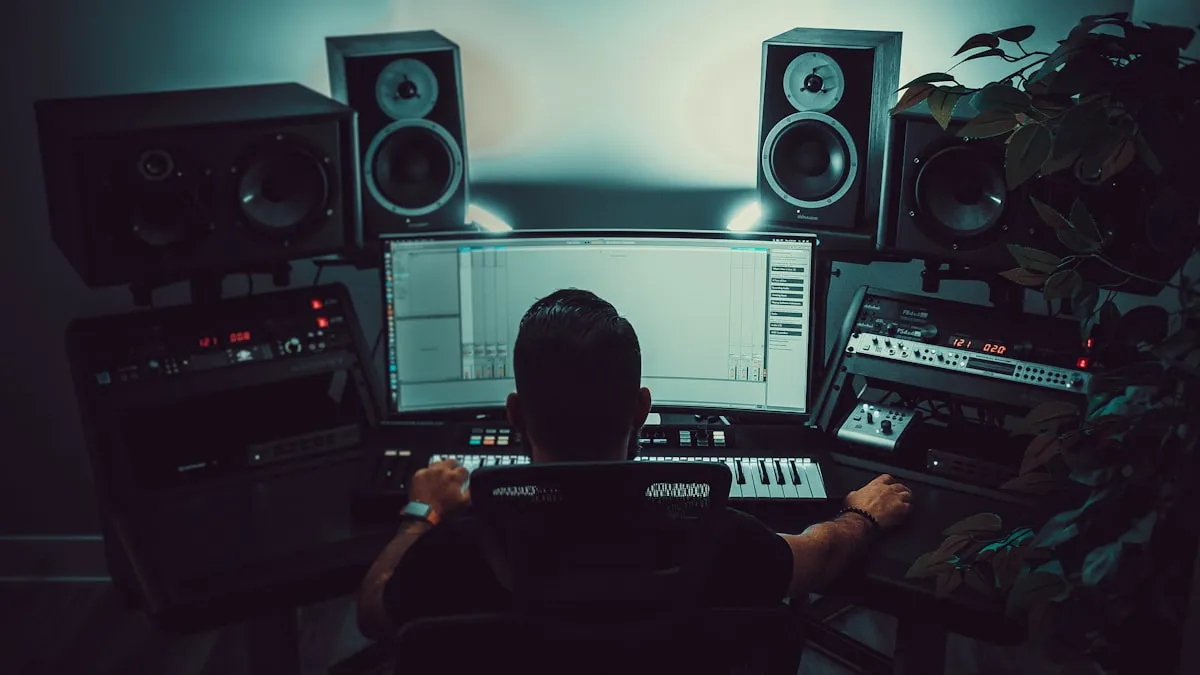
Best Internet Radio Broadcasting Software in 2026
Compare the top internet radio broadcasting software for 2026. From free open-source options to professional tools — find the right software for your station.

Radio Station Equipment Guide: What You Actually Need in 2026
A practical guide to radio station equipment for internet broadcasters. Three budget tiers from $200 to $2,000 with specific product recommendations.
How to Grow Your Radio Station Audience: 15 Proven Strategies
Actionable strategies to grow your internet radio station audience. From SEO and social media to community building and cross-promotion.
Skip the WordPress hassle
Your radio station website, live in 10 minutes. Custom domain, live player, schedule, podcasts, blog — everything included for $99/year.
Start Your Free Trial